
Automatic Monitors
The automatic monitors are a core feature of Monsta, designed to simplify and speed up the setup of your monitoring environment. Instead of manually adding each monitor you want to track on your devices, Monsta uses intelligent mechanisms to automatically discover the elements present in your infrastructure and adds monitors for each of them.
How it Works:
Section titled “How it Works:”When configuring automatic discovery, Monsta probes the monitor instances you specify using network protocols such as SNMP (Simple Network Management Protocol), WMI, SSH or API. When it identifies a new instance, Monsta creates a new monitor with its name. If the instance is removed from the device, the automatic monitors algorithm detects and removes the instance from your monitoring based on the time elapsed since the deletion.
For example:
- For a Windows server, Monsta can automatically detect existing network interfaces and create a monitor for each one;
- On devices that use VPN, Monsta can identify interfaces created for new users and add them automatically, as well as remove the interface from monitoring if it ceases to exist after the number of days configured in the monitor rule.
After automatic discovery, you will have the opportunity to select the created monitors and customize the settings of each of them, such as alert thresholds and data collection frequency. Automatic monitors are a powerful tool to quickly and intelligently start your monitoring, allowing you to focus on analyzing data and ensuring the health of your IT infrastructure.
How to Add an Automatic Monitor Rule:
Section titled “How to Add an Automatic Monitor Rule:”- Click on the device for which you want to create the automatic monitor rule;
- Click the button

The following screen will be displayed: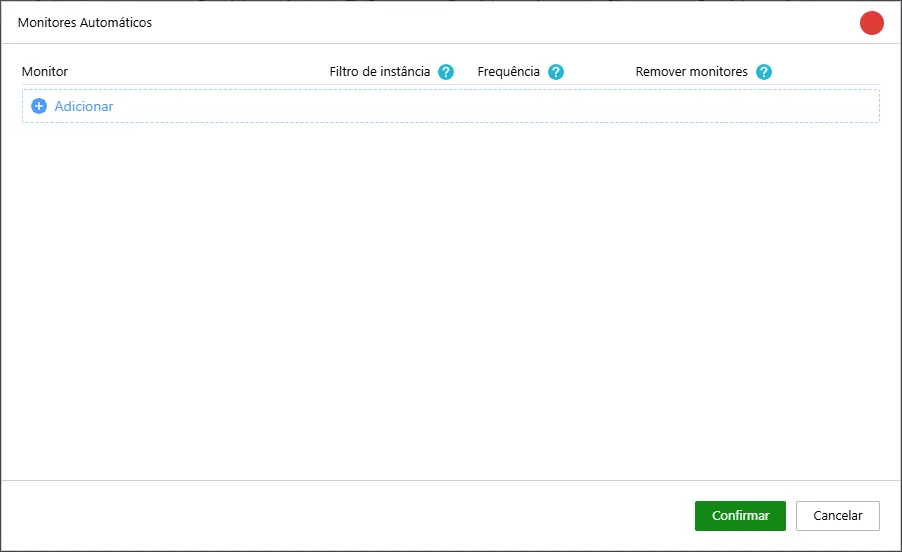
- Click “Add”;
- Customize the rule according to your needs with the parameters below:
| Option | Description |
|---|---|
| Monitor | Select the monitor you want to automate |
| Instance filter | You can enter a text that will be used to filter the names of existing instances and will create only monitors that “contain” that content. |
| Frequency | This is the time interval at which Monsta will check if any new instance was created. If new items are identified, their respective monitors will be created. |
| Remove monitors | In case of collection failure for a monitor, this means it may have been removed from the device. After the number of days configured in this option, Monsta will remove those monitors. |
Example:

In the image above, the created rule will add monitors that contain the word “vlan” in their name. Every 30 minutes Monsta will scan to check if there are new instances and will add them to monitoring. If an automatic monitor enters a failure state, and if within 7 days it does not resume collections, it will be removed from monitoring.