
Settings Screen
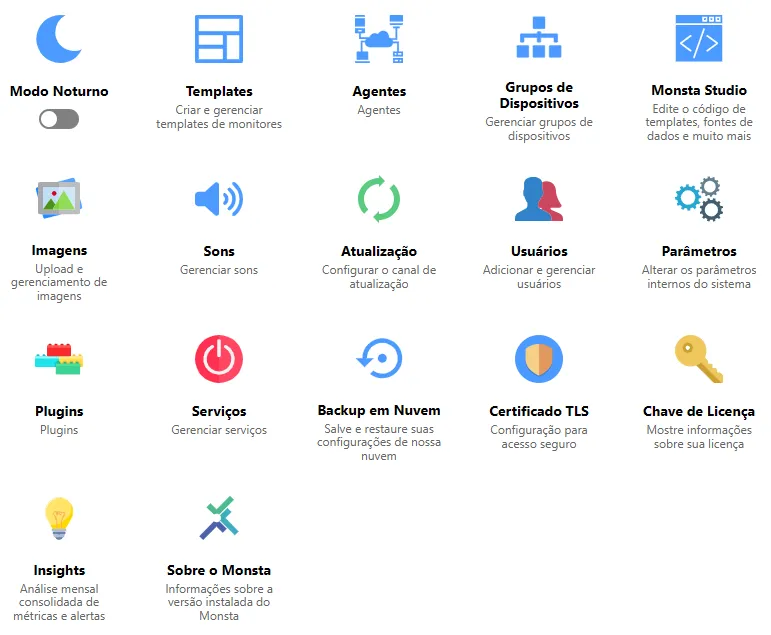
Here you can customize all data related to the Monsta configuration and also restore database backups.
| Opção | Descrição |
|---|---|
 | Night mode: When enabled, inverts Monsta’s screen colors. |
 | Templates: Allows creating, editing and removing existing templates and monitors. For more information see: Templates. |
 | Agents: Allows customizing agent settings and blocking them. For more information see: Agents. |
 | Device Groups: Allows adding and removing device groups as well as managing them. For more information see: Device Groups. |
 | Monsta Studio: Allows creating, editing and removing data sources, instance searches, uptime methods and actions. For more information see: Monsta Studio. |
 | Images: Manages the Monsta image library. For more information see: Images. |
 | Sounds: The Monsta sound library where files available for alerts are managed. For more information see: Sounds. |
 | Update: Switches between Monsta update channels. The following channels can be chosen: • Official: Channel with updates considered stable. • Beta: Channel with updates in testing. |
 | Users: Manages users in Monsta. For more information see: Users. |
 | Parameters: Allows changing general Monsta configuration parameters. Caution: Incorrectly configured parameters can render Monsta inoperative. For more information see: Parameters. |
 | Plugins: Allows enabling or disabling features available in Monsta. For more information see: Plugins. |
 | Services: In this option you can view the status of Monsta services and, if necessary, restart them individually. For more information see: Services. |
 | Cloud Backup: In this option you can restore a backup of Monsta configurations. For more information see: Cloud Backup. |
 | TLS Certificate: Install and manage your certificates to access Monsta’s web interface. It is possible to use custom certificates, certificates generated by Monsta, or automate them through Letsencrypt. For more information see: TLS Certificate. |
 | License Key: Displays information about the license key in use. For more information see: License Key. |
 | Insights: Monsta automatically sends a monthly summary by email at the beginning of each month, providing essential insights about system performance and status. For more information see: Insights. |
 | About Monsta: Displays information about the current version. For more information see: About Monsta. |