
How to add the Monsta bot to a Telegram group?
Monsta uses a Telegram bot to send alerts. To add the bot to a Telegram group so the group receives the alerts, do the following:
- In Monsta, go to the “Alert Groups” menu and click the group where you want to receive the messages;
- Inside the selected group, go to the “Monsta Alerts” tab;
- Select the “Monsta: Telegram” option and click to enable it;
- Click the “Manage registered users” button;
- Copy the code shown on the screen;
To enable alerts, search Telegram for “MonstaTecnologiaBot”. When you open the bot chat, click on the profile picture; the following screen will be shown:
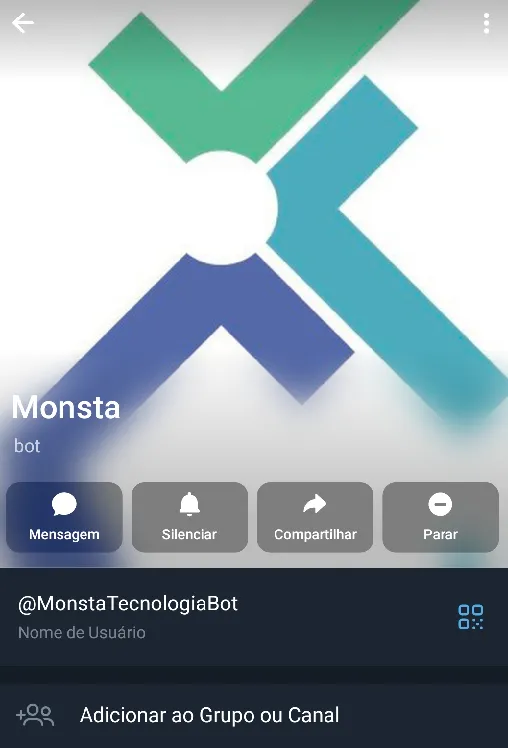
Then click “Add to Group or Channel”. In the screen that appears, select the desired group and add the Monsta bot as a member.
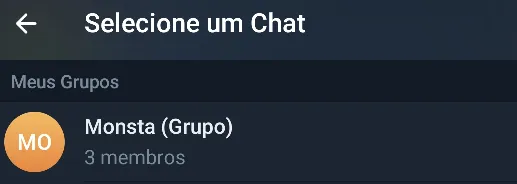
When you return to the profile screen, click the Groups tab and click the group you added. Inside that screen, enter the code provided by Monsta in the initial step:
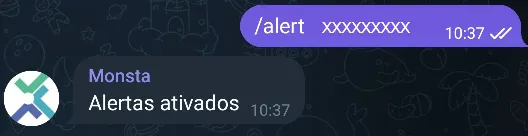
If the procedure is successful, you will receive the message “Alerts Activated”. From that moment on, your Telegram group will start receiving the specific alerts defined in the Monsta alert group.