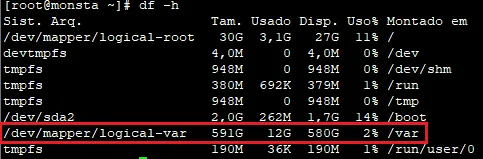
Increasing an LVM Partition
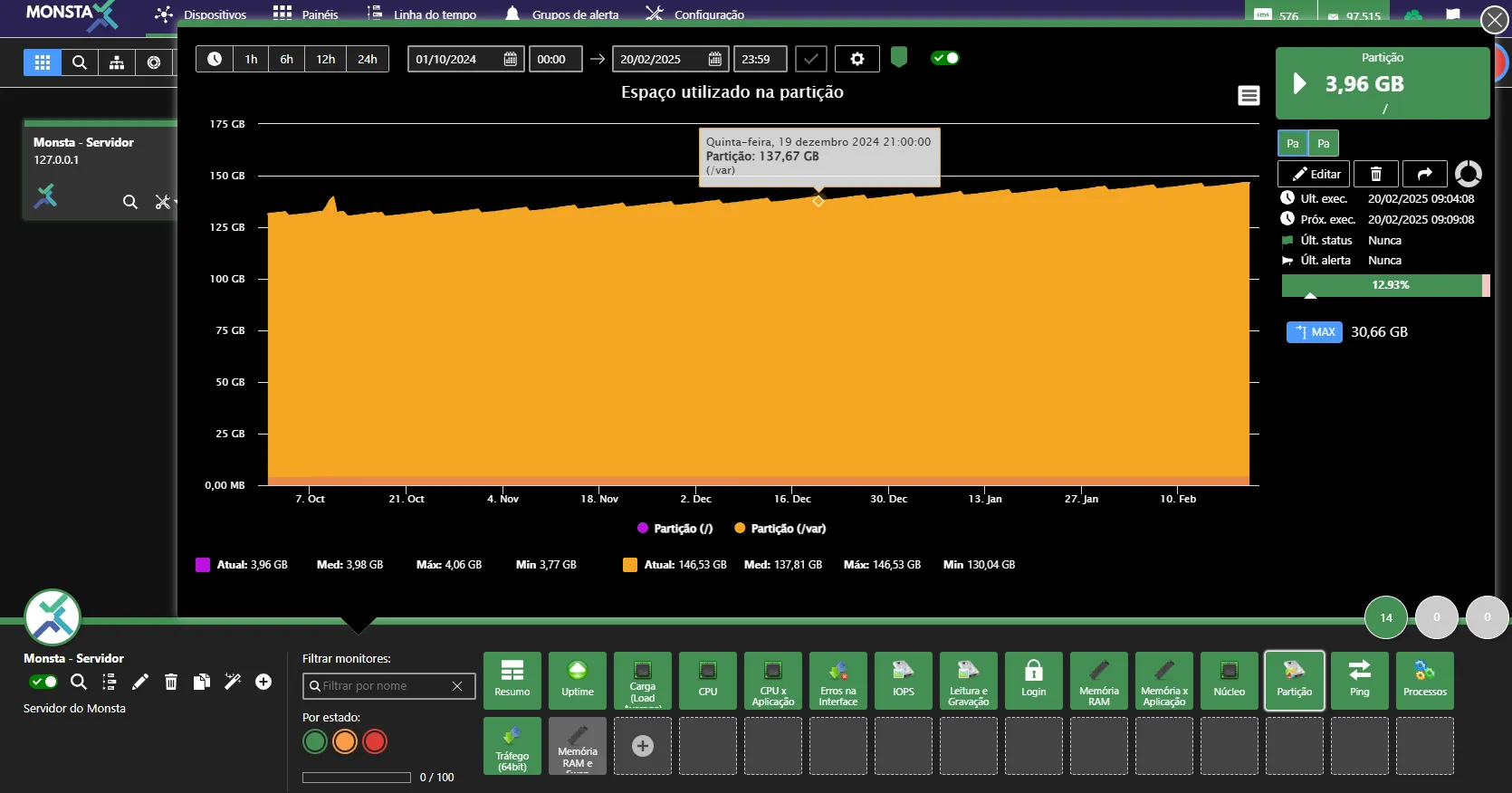
This tutorial teaches how to increase a partition configured on LVM using a new disk. Before continuing, add a new virtual disk to your VM or a new physical disk to a non-virtualized server.
Identify and create a new partition
Section titled “Identify and create a new partition”Logged in as root, on the screen of the Linux server that will have its partition increased, type the command below:
lsblkThis command will list the partitions on the physical disks available to Linux. The command output will look something like:
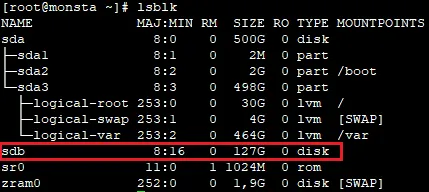
In this example, the physical disk /dev/sdb with 127GiB is the additional disk and it will be used to increase the LVM volume.
To use the entire partition to create an LVM volume, use the command below:
(echo n; echo p; echo 1; echo; echo; echo t; echo 8e; echo w) | fdisk /dev/sdb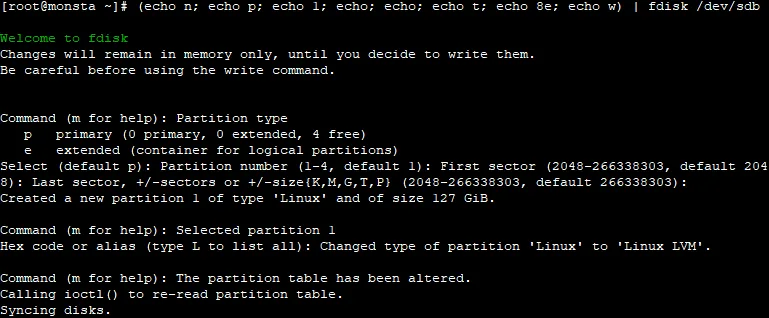
To check if the new disk was initialized correctly, type the command again:
fdisk -l /dev/sdbThe disk dev/sdb should be shown as a partition of type LVM:
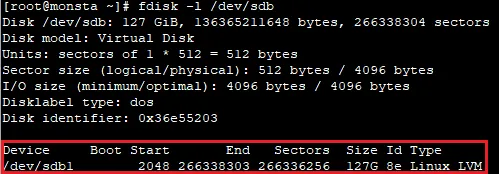
Increase space in the logical volume
Section titled “Increase space in the logical volume”Now that there is a partition with free space we need to inform Linux to add it to the existing logical volume. To do this, run the commands below:
pvcreate /dev/sdb1This command will create a new physical volume that can be assigned to a logical volume. To find out which volumes exist, type the command below:
vgdisplayThe output should be similar to the example below:
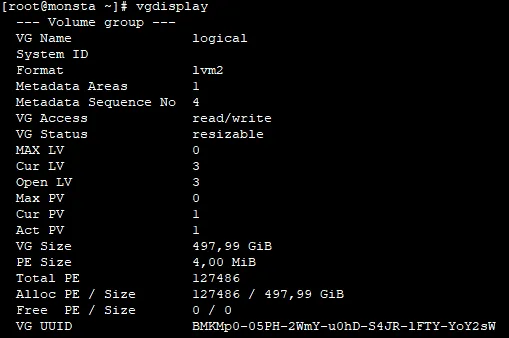
In our example the logical volume will be extended. To do this, run the command:
vgextend logical /dev/sdb1Run the command below again to verify that the size of the volume group has increased by comparing the VG Size parameter:
vgdisplay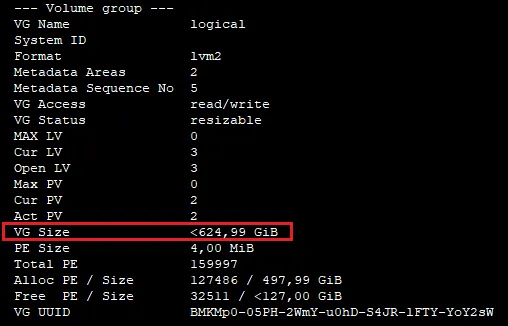
Now it is necessary to extend the logical volume. To list the existing volumes, run the command below:
lvdisplayIdentify the volume for the /var partition, as shown in the image below:
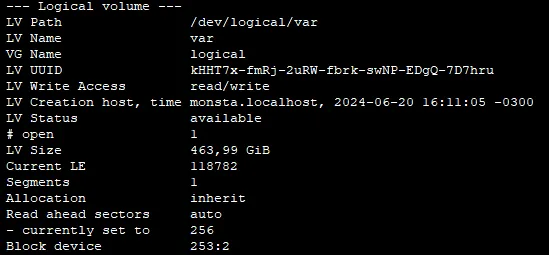
To increase the size of the volume /dev/logical/var, run the commands below:
lvextend /dev/lvar/var /dev/sdb1xfs_growfs /dev/logical/varThe command vextend increases the logical volume and the xfs_growfs command tells the file system to use all the newly available space. To verify that the partition was increased correctly, use the command below:
df -hIn our example, the /var partition should be 591GB in size.