
Monitor the Unbound DNS Server
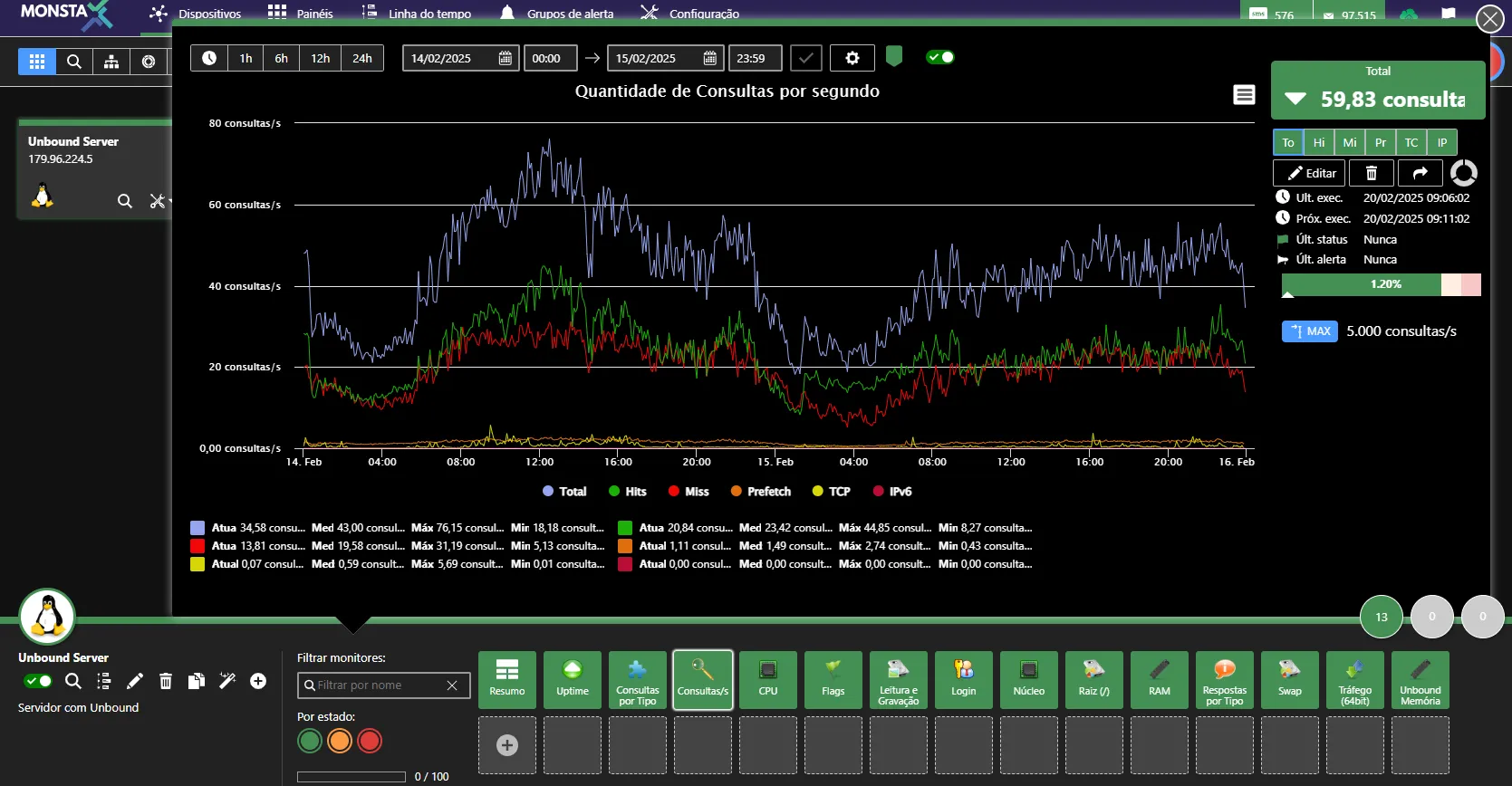
Tutorial to monitor the Unbound DNS server through the SNMP service.
Installing Unbound
Section titled “Installing Unbound”To install the Unbound DNS server and configure it to start automatically, enter the commands below:
yum install unboundsystemctl enable unboundsystemctl start unboundConfiguration
Section titled “Configuration”Edit the file /etc/unbound/unbound.conf and enable the option to generate statistics as shown below:
extended-statistics: yes
The following example shows a basic Unbound DNS server configuration with the option to display extended statistics enabled.
server:  verbosity: 1  satistics-interval: 0  statistics-cumulative: no  extended-statistics: yes  num-threads: 2  interface: 0.0.0.0  interface-automatic: yes  outgoing-range: 5000  so-rcvbuf: 4m  so-sndbuf: 4m  msg-cache-size: 25m  msg-cache-slabs: 2  num-queries-per-thread: 2500  rrset-cache-size: 50m  rrset-cache-slabs: 2  infra-cache-slabs: 2  access-control: 0.0.0.0/0 allow  chroot: ""  username: "unbound"  directory: "/etc/unbound"  log-time-ascii: yes  pidfile: "/var/run/unbound/unbound.pid"  harden-glue: yes  harden-dnssec-stripped: yes  harden-below-nxdomain: yes  harden-referral-path: yes  use-caps-for-id: no  unwanted-reply-threshold: 10000000  prefetch: yes  prefetch-key: yes  rrset-roundrobin: yes  minimal-responses: yes  trusted-keys-file: /etc/unbound/keys.d/*.key  auto-trust-anchor-file: "/var/lib/unbound/root.key"  val-clean-additional: yes  val-permissive-mode: no  val-log-level: 1  key-cache-slabs: 2  include: /etc/unbound/local.d/*.conf
remote-control:  control-enable: yes  server-key-file: "/etc/unbound/unbound_server.key"  server-cert-file: "/etc/unbound/unbound_server.pem"  control-key-file: "/etc/unbound/unbound_control.key"  control-cert-file: "/etc/unbound/unbound_control.pem"  include: /etc/unbound/conf.d/*.conf
Restarting the unbound service
Section titled “Restarting the unbound service”Then restart the service with the command:
systemctl restart unboundConfiguring SNMP to send Unbound statistics
Section titled “Configuring SNMP to send Unbound statistics”Back up the file /etc/snmpd.conf:
mv /etc/snmp/snmpd.conf /etc/snmp/snmpd.conf.backupEdit the file /etc/snmp/snmpd.conf and configure it as in the example below. If you wish, change the community name.
rocommunity publicextend .1.3.6.1.3.1983.1.1 Unbound /usr/bin/cat /tmp/unbound_stats.txtRestarting and enabling the SNMP service
Section titled “Restarting and enabling the SNMP service”In the terminal, type:
systemctl restart snmpdAdding the statistics to cron
Section titled “Adding the statistics to cron”In the terminal, enter the command below:
(crontab -l ; echo '*/1 * * * * /usr/sbin/unbound-control stats_noreset > /tmp/unbound_stats.txt' ) | crontab -After these procedures, you can use the “Unbound – DNS Server” Template to monitor the statistics of your DNS server.
On some systems the cat command is located in a different directory than the one configured in the snmpd.conf file. To avoid problems, you can create a symbolic link with the command below:
ln -s /usr/sbin/cat /binTesting the configuration
Section titled “Testing the configuration”To test whether the configurations are correct, perform the steps below:
yum install net-snmp-utilssnmpwalk -c public -v2c localhost .1.3.6.1.3.1983.1.1The snmpwalk command should return information like the example below:
SNMPv2-SMI::experimental.1983.1.1.1.0 = INTEGER: 1
SNMPv2-SMI::experimental.1983.1.1.2.1.2.7.85.110.98.111.117.110.100 = STRING: “/usr/bin/cat”
SNMPv2-SMI::experimental.1983.1.1.2.1.3.7.85.110.98.111.117.110.100 = STRING: “/tmp/unbound_stats.txt”
SNMPv2-SMI::experimental.1983.1.1.2.1.4.7.85.110.98.111.117.110.100 = ""
SNMPv2-SMI::experimental.1983.1.1.2.1.5.7.85.110.98.111.117.110.100 = INTEGER: 5
SNMPv2-SMI::experimental.1983.1.1.2.1.6.7.85.110.98.111.117.110.100 = INTEGER: 1
SNMPv2-SMI::experimental.1983.1.1.2.1.7.7.85.110.98.111.117.110.100 = INTEGER: 1
SNMPv2-SMI::experimental.1983.1.1.2.1.20.7.85.110.98.111.117.110.100 = INTEGER: 4
SNMPv2-SMI::experimental.1983.1.1.2.1.21.7.85.110.98.111.117.110.100 = INTEGER: 1