
Monsta Studio
Monsta Studio manages Monsta’s collection engines, alerts and actions. The sources made available here will be available to devices, monitors and alert groups.
Home Screen
Section titled “Home Screen”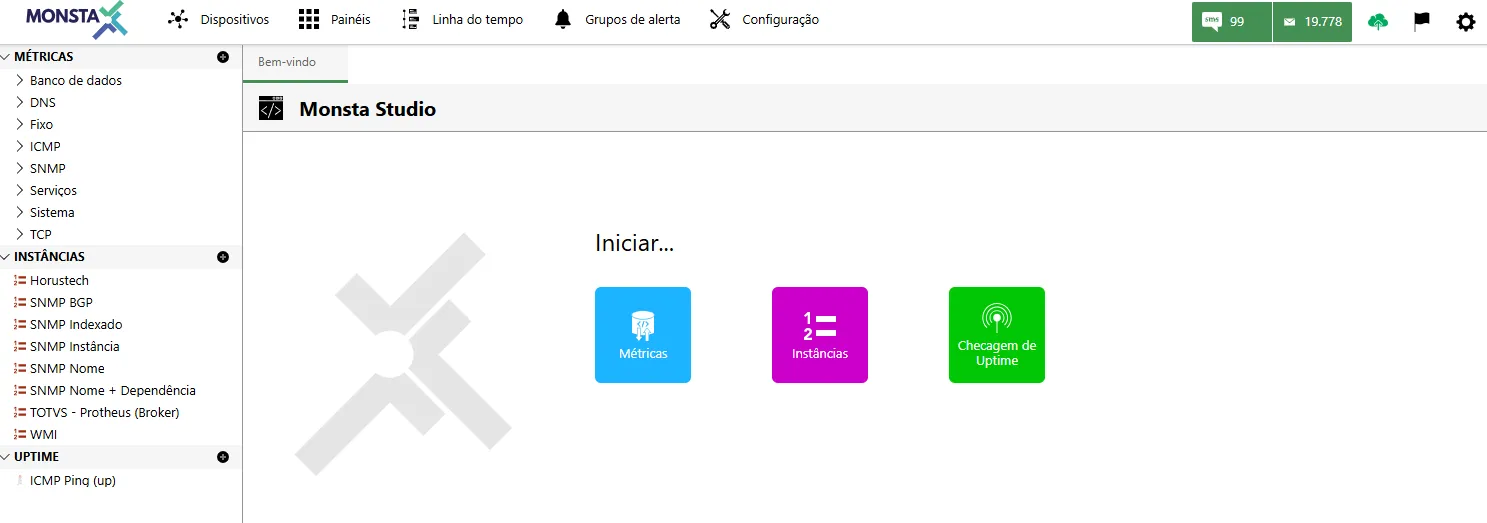
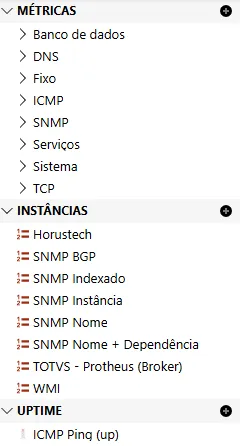
| Item | Descrição |
|---|---|
| Métricas | These are the sources used in monitor data collections. |
| Instâncias | These are the sources used in the “Instances” tab when creating or editing monitors. |
| Uptime | These are the sources used to check uptime when creating or editing the device. |
 | Source category. Used for better organization of the list. |
 | Adds a new data source within the selected location. |
Source Editor
Section titled “Source Editor”On this screen data sources are created or customized.
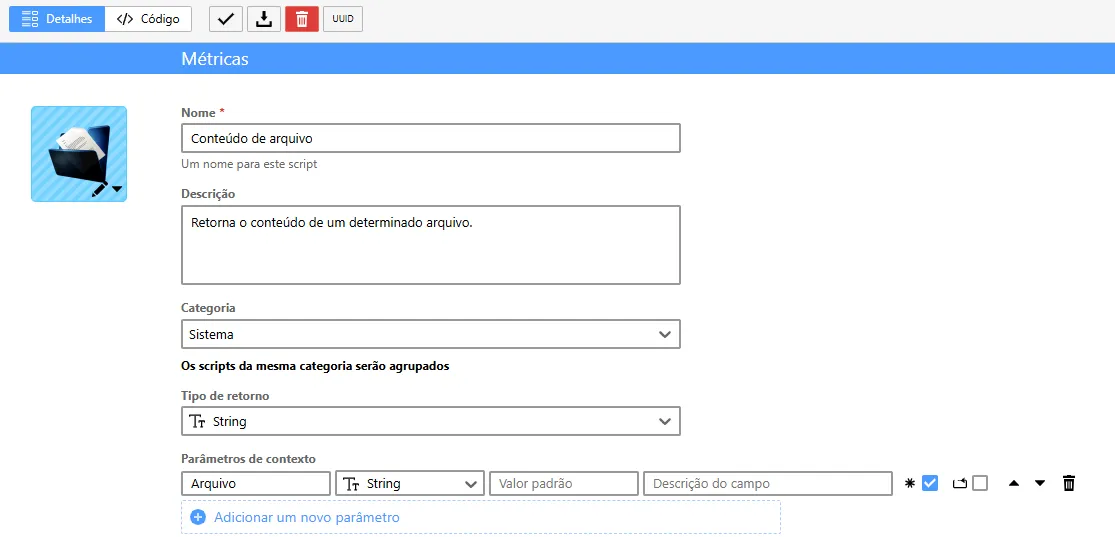
Details
Section titled “Details”
| Opção / Ícone | Descrição |
|---|---|
 | Selects an icon for the highlighted source. |
| Nome | Specifies a name for the source. This name is what will be shown in the available sources listings. |
| Descrição | Brief comment about what the source does. |
| Categoria | Indicates which category the source belongs to. |
| Tipo de Retorno | Type of value returned at the end of the source execution. It can be a number, a string, a text, a table, among others. |
| Parâmetros | Variables configured to be used by the source code. It is possible to set a default value for each variable, and the user can change it during execution. |
 | Variable name. |
 | Variable value type. |
 | Sets a default value for the variable. |
 | A comment about the variable. This information will appear when hovering over the value field during execution. |
 | If checked, the variable must be filled in (required). |
 | If checked the variable can be duplicated by the user. |
 | Display position of the variable in the list. |
 | Removes the selected variable. |

| Opção / Ícone | Descrição |
|---|---|
 | Saves the current code edit. |
 | Exports the highlighted source to a file. |
 | Removes the highlighted source. This process is only allowed if it is not in use. |
 | Source identification code for searches. |
 | Displays the script outputs and return when executed. |
 | Configures font and character size in the script editor. |
 | Specifies the type of language used by the script. |
 | Selects the device on which the script test will be executed. |
 | Allows entering values for parameters when present. |
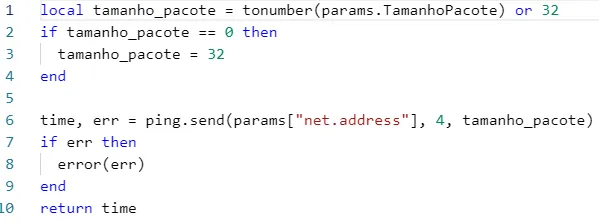 | Monsta’s code editor. |
 | Executes the script for testing purposes. |