
Reset the root password: CentOS
This tutorial aims to recover the root password on a CentOS Linux Server.
Recover the root user password
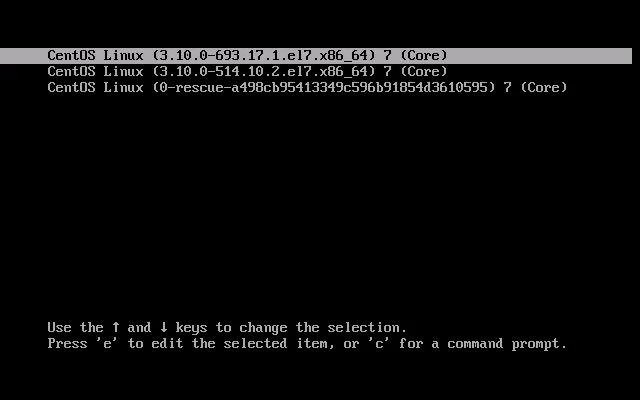
Section titled “Recover the root user password”During the server boot, the boot screen similar to the image below will appear:
Press the “e” key to open the boot configuration edit mode as shown below:
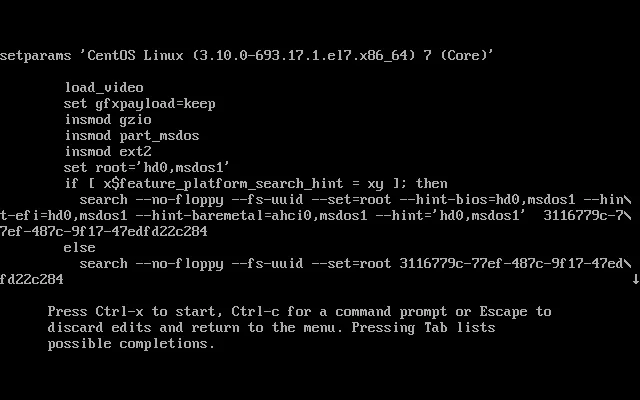
Find the line that starts with “linux” or “linux16” and append “rw init=/sysroot/bin/bash” to the end as in the example below:

Press CTRL+X to boot Linux with the new settings. The following screen should appear:
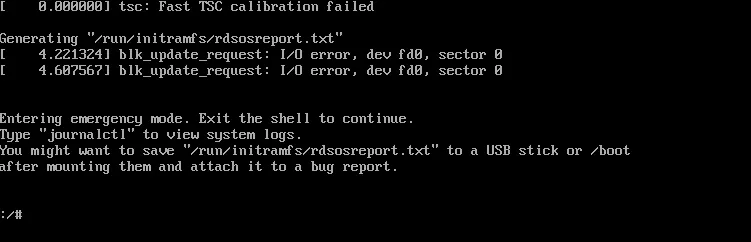
Enter the following commands to change the password:
chroot /sysrootpasswd roottouch /.autorelabelexitreboot